
By Jake Osman, laser engineer — Focused Laser Systems
A laser cutter can be the most inspiring machine in a school workshop, or an expensive compliance headache. Get the safety class, extraction, and support right, and you’ve got a tool that students will queue up to use across DT, art, and engineering. Get them wrong, and you’ve got a machine that can’t pass a risk assessment, sits idle mid-term, or lands you with running costs nobody budgeted for. We install, service and repair these machines in UK schools, so here’s the honest version of what actually matters.
The best laser cutter for a school is a Class 1, fully enclosed CO₂ laser with a bed size suited to your projects, proper fume extraction, and reliable UK-based support. Class 1 safety makes it safe to supervise in a classroom; a CO₂ laser handles the wood, acrylic, card and leather most curricula use. Our Vision 6090 is a common choice for UK schools for exactly these reasons.
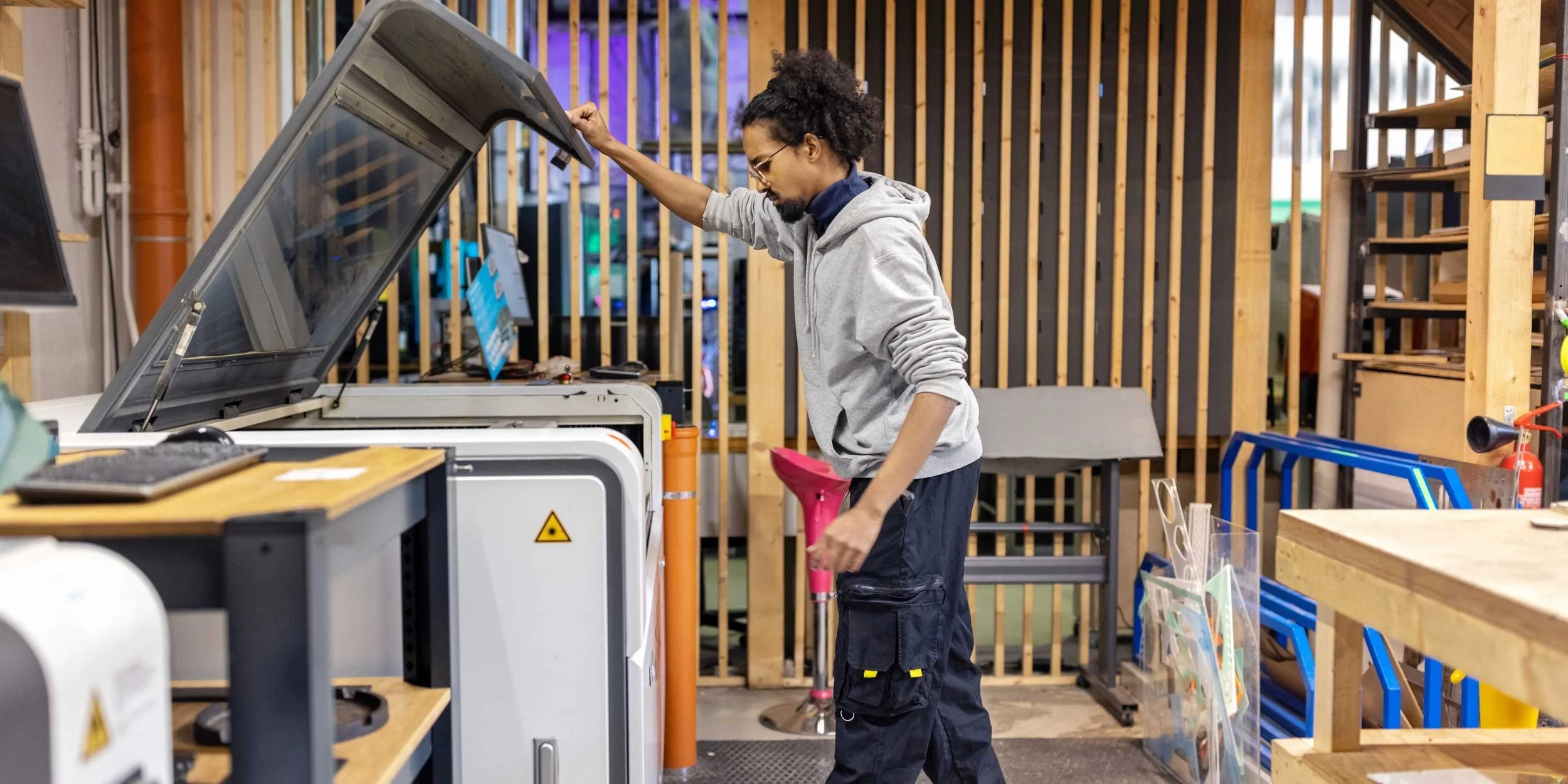
What makes a laser cutter right for a school?
A classroom is not a workshop or a home shed, and the buying priorities are different. Five things decide whether a machine is genuinely school-ready:
Safety — is it Class 1 and fully enclosed, so it’s safe to supervise?
Compliance — does it fit BS 4163, CLEAPSS guidance and COSHH?
Ease of use — can non-specialist staff and students run it without a steep learning curve?
Power and bed size — does it match your projects and your classroom space?
Support and budget — will it stay running through term, and what’s the true all-in cost?
Work through those in order, and the shortlist gets short quickly. The rest of this guide takes each one in turn.
Safety first: why schools need a Class 1 laser
Safety isn’t a feature to compare — for a school it’s the entry ticket. Laser machines are rated by safety class, and the one that matters for a classroom is Class 1.
A Class 1 laser is fully enclosed: the beam is contained inside the machine, with independent door interlocks, a laser cut-off when the lid is opened mid-job, a key switch, and an emergency stop. That combination is what makes it safe for a teacher to supervise a class around it. By contrast, Class 4 machines have an exposed or open-frame beam and demand goggles, controlled access and specialist supervision — not realistic in a busy classroom.
If you take one thing from this section, it's this: for a school, Class 1 isn’t “nice to have”; it’s the baseline. There’s more detail in our guide to Class 1 laser safety.
Compliance: BS 4163, CLEAPSS, COSHH and LEV
This is the part most buying guides skip entirely — and it’s the part that gets a purchase signed off or rejected. UK schools don’t buy equipment in a vacuum; design & technology provision sits inside a health-and-safety framework.
BS 4163:2021+A1:2022 is the code of practice for health and safety in design & technology in educational establishments — the reference point your school’s risk assessment will lean on.
CLEAPSS provides the D&T health and safety guidance and advice that many schools follow for equipment like this.
Fume control falls under COSHH and is typically met with LEV (local exhaust ventilation) — i.e., proper extraction, not an open window.
You don’t need to be a compliance expert to buy well, but you do need a machine and a supplier that make compliance straightforward rather than something you retrofit.
Fume extraction for classrooms
Cutting and engraving produces fumes, and in a shared teaching space you have to manage them properly — it’s both a safety and a compliance point. There are two main routes:
Inline fan + external ducting. If your room already has an external wall or existing ducting, an inline fan vents fumes outside. It’s simple and the cheapest option — typically £250–£500.
Standalone filtration unit. Where you can’t vent externally, a filtration unit (such as BOFA or Purex) sits beside the machine and returns clean air to the room. It’s the usual choice for classrooms without external venting, but the upfront cost is higher — roughly £1,500–£7,000 depending on the unit.
Either way, budget for replacement filters — usually about once a year, £200–£600 — and factor them in before the start of term, not mid-project. There’s more in our guide to choosing a laser fume extractor.
Ease of use and software (LightBurn)
A school machine has to be usable by rotating groups of students and by staff who aren’t laser specialists. Two things make the difference: the software and the setup workflow.

LightBurn is the industry-standard control software — it’s approachable, widely documented, and included as standard on our Vision machines. For younger students, simpler tools like LaserGRBL or RDWorks further lower the barrier. Features like autofocus cut the fiddly setup between jobs, which matters when a lesson is 50 minutes and you’ve got a class waiting.
Just as important is training. A good supplier will get your staff confident on the machine rather than leaving them with a manual — we cover this with on-site laser training.
Laser power and bed size for classroom work
Two specs shape what students can actually make: tube power (in watts) and bed size.
Power decides cutting speed and thickness. A higher-wattage tube cuts thicker material and finishes faster, which, in a fixed lesson slot, can be the difference between a class finishing their pieces or not. For most schoolwork, wood, acrylic, card — a mid-range tube is the sweet spot; you rarely need the largest machine on the page.
Bed size should match your projects and your space:
Small (500 × 300mm) — jewellery, small models, keyrings.
Medium (600 × 400mm) — signs, boxes, most DT projects.
Large (900 × 600mm) — larger design pieces and bigger classes.
Our best-selling school machine, the Vision 6090, sits in the larger bracket, with a generous work area that gives DT departments room to grow. Remember to leave space in the classroom for the machine, extraction, and safe supervision.
What can students make? (materials and curriculum)

A CO₂ laser is genuinely cross-curricular. Students can cut and engrave wood, acrylic, card, leather, slate, and more, from STEAM prototypes and engineering models to art stencils, awards, and personalised design pieces. That versatility is exactly why laser cutters have become a fixture in DT, art and engineering rooms.
Two honest caveats. First, a CO₂ laser does not cut metal — that’s a fibre laser, and for the overwhelming majority of school work you won’t need one, so don’t let a supplier upsell you into it. Second, and non-negotiable: never cut PVC or vinyl. It releases chlorine gas, which is dangerous to people and corrodes the machine. Keep a clear “approved materials” list by the machine.
Budget, pricing and education finance
Schools rightly ask what one of these actually costs, and the honest answer is that the machine is only part of it. Your real budget is machine + extraction + training, and it’s worth pricing all three together to avoid surprises after delivery.
A few ways schools manage the cost:
Leasing/education finance. Spreading the cost can move a laser from “next year’s budget” to “this term” — our finance starts from £22.80/week. See laser cutter finance options.
Refurbished. A tested, reconditioned CO₂ laser with a warranty is a lower-cost route in — from £2,500 — without dropping to disposable-import quality.
The thing to avoid is buying on sticker price alone and discovering the extraction, training and support weren’t in the number.
Support, warranty and servicing during term
In a school, downtime lands at the worst possible moment — mid-project, mid-term, with a class watching. So, support matters more here than almost anywhere else.
Look for a real warranty and genuine, reachable support: we back our machines with a 2-year on-site warranty and lifetime technical support with no support tickets — phone, WhatsApp or remote access straight to UK engineers. And we service any make, not just machines bought from us, so an existing laser isn’t orphaned. Schools we work with include One School Global and Churcher’s College — because term-time reliability is a promise you should be able to check.
Which Focused Laser Systems machine is best for a school?
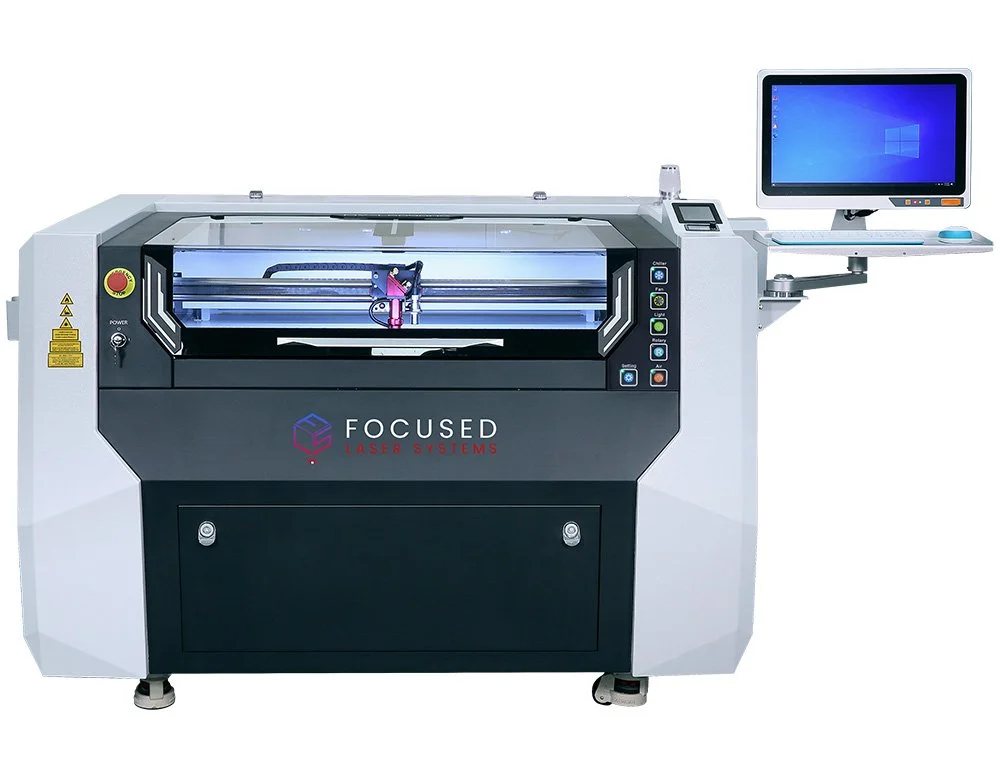
For most UK schools, the Vision 6090 is the natural fit: Class 1 safety, a generous bed, LightBurn included and the support to keep it running through term. If the budget is tight, a refurbished machine offers a commercial-grade build and a warranty at a lower entry point. We’d rather point you to the right machine than the most expensive one — if in doubt, tell us your subjects, class sizes, and space, and we’ll be straight with you.
Laser cutters for schools: FAQ
What’s the best laser cutter for a school?
A Class 1, fully enclosed CO₂ laser with a bed size that suits your projects, proper fume extraction, and UK-based support. The Vision 6090 is a common choice.
Are laser cutters safe for classrooms?
Yes — provided the machine is Class 1 (enclosed, with door interlocks and an emergency stop) and properly extracted. Open-frame Class 4 machines aren’t appropriate for schools.
How much does a laser cutter cost for a school?
Budget for the machine, extraction, and training, not the headline price alone. Leasing (from £22.80/week) and refurbished machines (from £2,500) reduce the entry cost.
What safety standards must a school laser cutter meet?
UK schools work to BS 4163:2021+A1:2022 for D&T health and safety, with CLEAPSS guidance; fume control falls under COSHH/LEV. The machine should be Class 1 and properly extracted.
Do schools need fume extraction?
Yes — either an inline fan to an external vent, or a standalone filtration unit (e.g. BOFA/Purex) where external venting isn’t possible. It’s a COSHH/LEV requirement.
Where’s the best place in a school for a laser cutter?
A well-ventilated DT or technology room with space for the machine, its extraction, and safe supervision around it.
The bottom line
A laser cutter is one of the best investments a school can make in hands-on learning, but buy it for safety, compliance and support, not the lowest sticker price. Work out your projects and space, price the machine, extraction and training together, and choose a supplier who’ll still pick up the phone in week six of term. If you’d like a straight assessment for your school, book a demo or safety consultation with our engineers.
