
Upgrading Your CO₂ Laser Tube: A Guide to Wattage, Benefits & What to Know
Are you finding that your laser cutter is struggling with those new, thicker materials? Are you watching jobs crawl at a snail's pace and wondering how you can speed up production? It’s a common bottleneck, and the solution might be in the 'heart' of your machine: the laser tube.
Of course, upgrading your laser tube is a big decision. It's a real investment, not just in money but also in the time it takes to get it installed. That brings us to the big question: Is it really worth it?
The good news? We've sat down with our in-house engineers to break down the real-world payoffs of a laser tube upgrade. By the end of this post, you'll know exactly what benefits to expect and will have all the info you need to make the most informed decision for your setup.
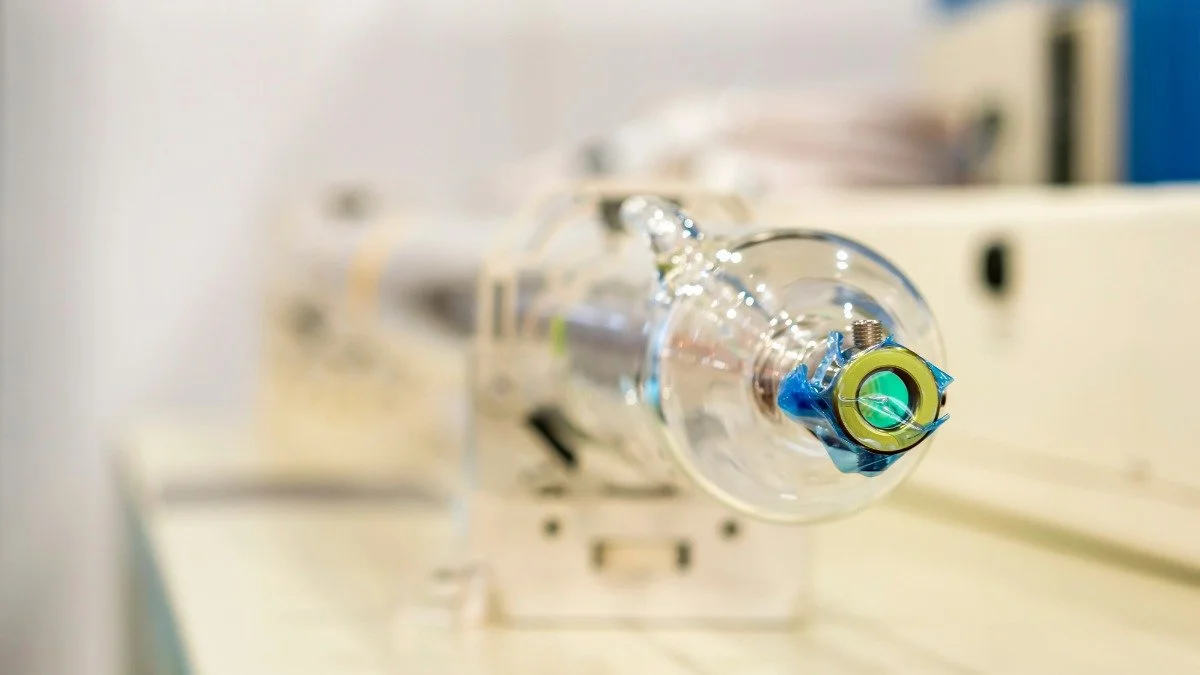
CO₂ Laser Wattage Explained: Cutting Power vs. Engraving Precision
So, what does more wattage actually get you? It's easy to think of it as just 'strength,' but it's more nuanced than that. Wattage is the measure of the laser's continuous power output. Think of it this way: if your 60W laser is a garden hose, an upgraded 100W laser is a full-on pressure washer. Both can get the job done, but the pressure washer does it faster and blasts away grime the hose couldn't even reach.
Now, this brings us to a huge misconception we hear all the time: 'More power must mean better engraving, right?' Not so fast. When it comes to engraving fine, detailed work like photographs, you actually need less power and more precise control to get those delicate shades.
The challenge is that a high-wattage tube (say, 100W or more) has a higher 'minimum' power—the lowest setting at which it will even fire —which can make it tricky to achieve those subtle, light grey tones that a 60W tube handles beautifully.
So, here's the key takeaway: The primary benefits of upgrading your CO₂ laser's wattage are increased cutting speed and greater cutting thickness.
Top 4 Performance Benefits of Upgrading to a High-Wattage Laser Tube
1. Increase Cutting Depth: From Plywood to 10mm Perspex
One of the most obvious wins and the number one reason most people consider an upgrade. That 60W tube that just barely makes it through 9mm plywood (if you're lucky)? An upgrade to a 100W or 130W tube can blast right through 12mm, 15mm, or even 18mm with confidence.
This upgrade immediately opens up a whole new world of projects—think structural items, sturdy furniture parts, or thicker, more impressive signage. If you're constantly bumping up against a material thickness limit, a higher wattage tube smashes right through that wall.
2. Boost Production Speed: Cut Acrylic & Wood in Half the Time
Here's the benefit that most people underestimate entirely: an upgrade doesn't just mean you cut thicker stuff—it means you cut your current materials at a dramatically faster speed.
Let's put that in real-world terms. A sheet of 3mm acrylic might take your 60W tube 20 minutes to cut for a complex order. That same job on a 100W tube could be finished in 8-10 minutes.
If you run a business, that's a game-changer. You're not just saving time; you're effectively cutting your production costs in half, which means higher throughput, happier customers with faster turnarounds, and, most importantly, more profit per hour.
Achieve Cleaner Edges and Reduce Charring on Thick Materials
On top of speed, you'll also get cleaner cuts when working with that thicker stock.
To get your 60W tube through a 12mm piece of wood, you have to run two, or even three, very slow passes. This 'double-pass' method builds up significant heat in the material, leading to excessive charring, sticky residue, and a bevelled, angled cut edge.
A 100W tube, on the other hand, can cut that same material in a single, fast pass. Because the laser is moving quickly, it imparts less heat into the surrounding material. The result? A much cleaner, straighter, 90-degree cut with significantly less char. That means less time sanding and cleaning up your parts, which is another productivity win.
4. Expand Your Business with New Material Capabilities
Finally, all of this adds up to the 'growth' benefit: you'll be able to expand your product and material offerings. You can now confidently say 'yes' to new types of customers and projects that were previously out of reach.
Think about it—you can now work with denser hardwoods like maple or oak that your old tube only engraved. You can bid on those thick acrylic jobs for sign makers. You can even take on complex, multi-layer projects that were previously too time-consuming to be profitable. An upgrade isn't just a speed boost; it's an expansion of your entire business capability.
Critical Hardware Requirements for a CO₂ Laser Tube Upgrade
Okay, so you're sold on the benefits. More speed, more power, more materials—what's not to love? But this is the part where we need to be really clear, because an upgrade is not just a simple 'plug-and-play' swap.
Our 'Must-Know' checklist. Getting this part wrong can cost you time, money, and a whole lot of frustration. So, before you click 'buy' on that powerful new tube, let's make sure you're prepared.
Your Power Supply (LPSU)
The power supply is specifically designed to provide the correct voltage and amperage for a specific wattage range. You must factor in the cost of a new, correctly rated LPSU for your new tube's wattage. Don't even try to mismatch them—it's a surefire way to destroy the power supply, the tube, or both.
Physical Size (Measure Twice!)
Higher wattage means a longer, fatter laser tube. That 100W tube you're eyeing is significantly longer than the 60W tube currently in your machine. You need to get out a tape measure and check, 'Will this new tube physically fit inside my machine's case?' If the answer is 'no' (and it often is), you'll need to be prepared to add an external extension box to cover the part of the tube that will stick out the side. You also need to check the tube's diameter to make sure your existing tube mounts can hold it, or if you'll need to buy new ones.
Your Cooling System
If you're running a lower-wattage tube, you might be getting by with a simple submersible pump in a bucket of water. That is not going to cut it for a high-power tube. A 100W+ tube generates significantly more heat. To keep it running at a stable, safe temperature and prevent premature failure, you must use an external water chiller unit (such as a CW-5000 or CW-5200). A proper chiller isn't just a recommendation; it's a requirement for protecting your new tube and ensuring it has a long, happy life.
Mirror Alignment
A new laser tube, especially one that has a different diameter and sits in new mounts, will be in a completely different position than your old one. You'll need to start your entire beam alignment process from scratch, beginning at mirror 1, to ensure the beam is centred, parallel, and hitting your final focusing lens perfectly. It’s a job that requires patience, but it's absolutely critical for getting all that new power to where it's supposed to go.
Focal Lens
Your CO₂ laser's focal lens plays a significant role in processing materials. To keep things simple, the easiest way to look at it is that the shorter the focal length (FL) of your lens, the quicker it comes into focus, and so the finer the spot size. A smaller spot size is suitable for engraving, but because of the shorter focal length, it will not remain in focus long enough to cut through thicker materials. When cutting thicker materials, use a lens with a longer focal length (FL). As a general rule, we suggest using a 2~2.5" FL Lens for material thicknesses up to around 6mm. After this, it's worth considering a 4" FL lens to ensure you get a nice, clean, straight edge when processing thicker materials constantly. As a final note, you must ensure your lens housing sleeve will accept a different FL lens, as your nozzle still needs to be close enough to the material to ensure the air feed is effective and reduces the risk of fire.
Is a High-Wattage Upgrade Worth the Investment?
So, here's the bottom line: an upgrade to a higher-wattage laser tube is a powerful, game-changing investment, but it's not the right answer for everyone.
It's a step up that involves more than just the tube itself—you have to account for the power supply, the cooling, and the physical fit. But when it is the right move, it can completely transform your workflow.
So, who is this upgrade really for?
The Small Business Owner: If you're running a laser business and your primary bottleneck is production speed, an upgrade is a no-brainer. The time you save is money, and this is the fastest way to increase your output.
The Maker Who's Hit a Wall: Are you constantly frustrated by the thickness limits of your machine? If your ideas are bigger than your laser's cutting capacity, an upgrade is your key to unlocking those new projects.
The Prototyper: If you need to work with dense materials, thick woods, or create structural parts, a high-wattage tube gives you the power and versatility to get the job done right.
So, who is this upgrade not for?
It's probably not the best move for the pure hobbyist who primarily engraves. If most of your time is spent engraving detailed photos or text, and you're generally happy with your current cutting speeds for small projects, a high-wattage tube won't give you much benefit. In fact, it makes that super-delicate engraving a little trickier.
It's a big step, but for the right user, a tube upgrade is the single best investment you can make to boost your machine's productivity and unlock its true potential. It's the move that takes your laser from a hobbyist tool to a production powerhouse.
At Focused Laser Systems, our team is here to help you through the entire transition.
Contact us today for your personalised upgrade quote:
📞 Call: 01271 626406
💬 WhatsApp: Message us on WhatsApp
📧 Email: sales@focusedlasersystems.com
